Bubbles in flip

— vex, houdini, FLIP

https://www.nicholas-taylor.com/blog/bubble-trouble good general overview of bubble issues and solutions, especially flip reseeding (I prefer bruteforce large ptcount and avoid reseeding if possible)

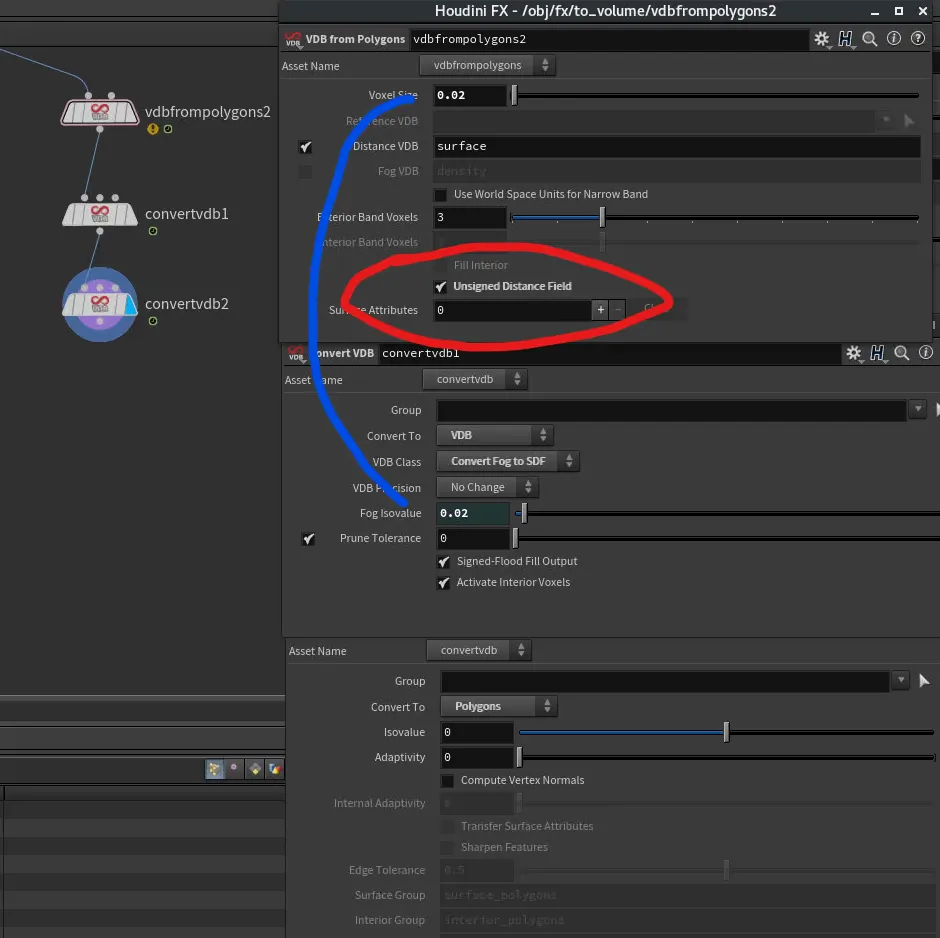
// stop bubble pscale from overlapping
int numpts = chi('max_pts'); // neighbours to query
int pts[] = pcfind_radius(0, "P", "pscale", 2, @P, @pscale, numpts);

float sc = @pscale;
if(len(pts) > 1){ // only continue if overlapping point is found
    int l = len(pts);
    for(int i = 0; i < l; i++){
        int pt = pts[i];
        if(@ptnum != pt){ // ignore self
            float pss = point(0, "pscale", pt);
            vector ppos = point(0, "P", pt);
            float d = distance(@P, ppos); // distance between centers
            float a = (@pscale + pss)/2; // total combined radius
            if(d < a){
                float r = d / a; // ratio of radius sum to distance between centers
                sc = min(sc, r*@pscale); // we want to use the smallest radius required
            }
        }
    }
}

@pscale = sc;
// ensure bubble pscale doesnt poke through surface
int hpr;
vector huv;
float dist = xyzdist(1, v@P, hpr, huv);
f@pscale = max(0,min(dist-0.001,f@pscale));
Remove duplicates from array VEX

— vex, houdini
// list must be sorted before
function int[] removeDuplicates(int arr[]){
    int unique[];
    for(int i=0; i<len(arr)-1; i++){
        int curr = arr[i];
        int next = arr[i+1];        
        if (curr != next){            
            push(unique, curr);            
        }    
    }
    push(unique, arr[-1]);
    return unique;
}

Procedural preroll to packed geo

— vex, houdini

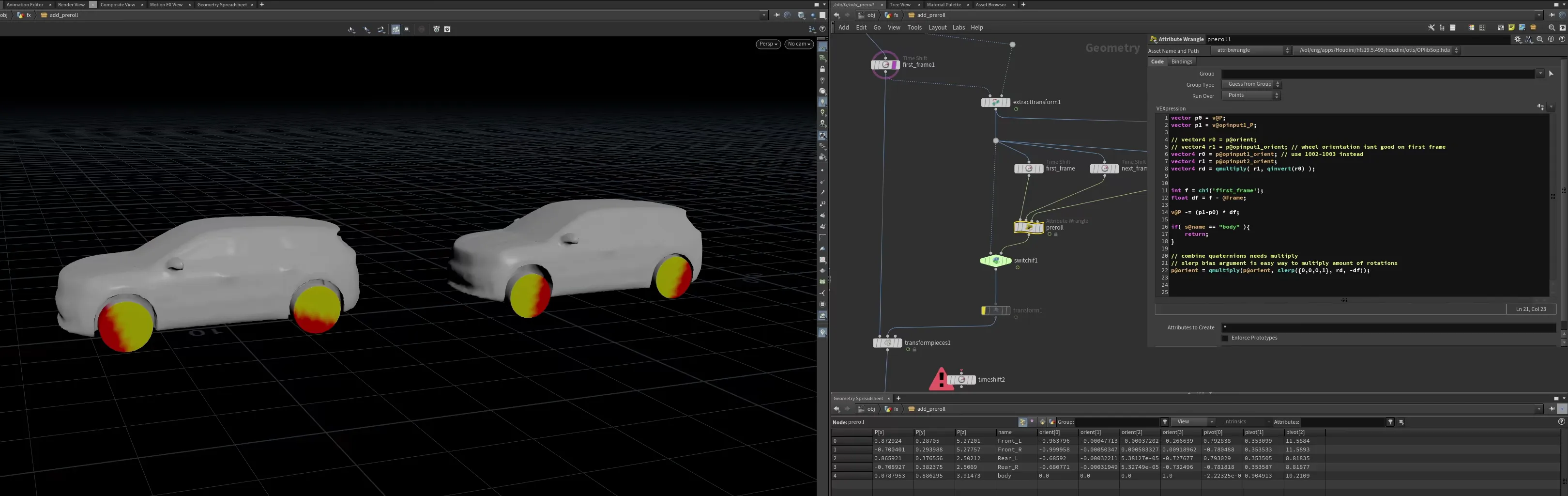
calculates the difference between $FSTART & $FSTART+1 to influence @P and @orient This means things like car wheels correctly roll back

vector p0 = v@P;
vector p1 = v@opinput1_P;

vector4 r0 = p@orient;
vector4 r1 = p@opinput1_orient; 
vector4 rd = qmultiply( r1, qinvert(r0) );


int f = chi('first_frame');
float df = f - @Frame;

v@P -= (p1-p0) * df;

// combine quaternions needs multiply
// slerp bias argument is easy way to multiply ident rot (0,0,0,1) by delta (rd) multiple times (df)
p@orient = qmultiply(p@orient, slerp({0,0,0,1}, rd, -df));

Test the substeps with a retime SOP

preroll_wheels_screenshot

Vellum notes

— houdini

vellum tips for dynamic pin to target / follow animation because I forget this every time

to follow animation, make vellum constraints SOP > pin to target
Pin type differences:
- permanent = no control
- stopped = controlled by point attribute integer @stopped & @gluetoanimation (both? not sure)
- soft = constraints with stiffness

animate point attributes i@stopped & i@gluetoanimation with POP wrangle or SOP solver, be mindful of group types

if you need to wrangle the constraints (they are primitives)
use either SOP solver (Constraint Geometry) or Geometry wrangle, in data bindings tab set Geometry to "ConstraintGeometry". now you can access attributes like @stiffness

make sure your pin groups don't overwrite normal cloth groups

you can plug all these into the "FORCES" output

Vellum is a lot more stable when your P attribute is using 64 bit precision (which it isn’t by default)

VDB Smooth combine

— houdini, vex

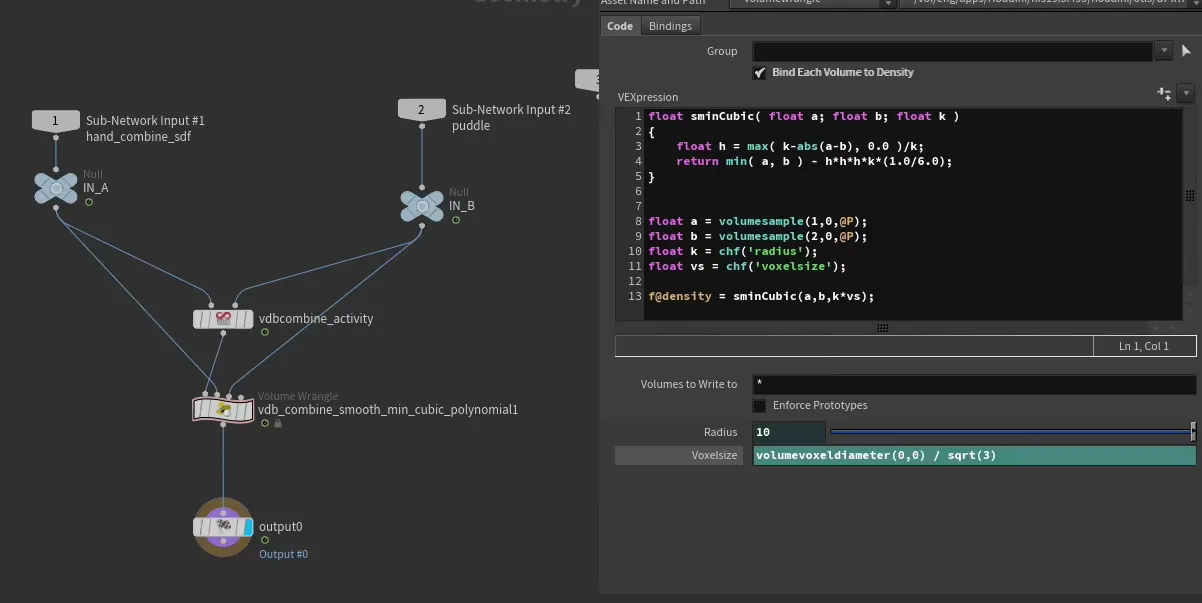
VDB smooth combine (smooth min) can lead to artifacts if exterior band is not large enough, fix using VDB Extrapolate SOP before combining

float sminCubic( float a; float b; float k )
{
    float h = max( k-abs(a-b), 0.0 )/k;
    return min( a, b ) - h*h*h*k*(1.0/6.0);
}


float a = volumesample(1,0,@P);
float b = volumesample(2,0,@P);
float k = chf('radius');
float vs = chf('voxelsize');

f@density = sminCubic(a,b,k*vs);

https://iquilezles.org/articles/smin/ VDB smooth combine20250616.avif

Print python environment variables

— python

python 3, quickly view system environment variables

from pprint import pprint as pprint
pprint(dict(os.environ.items()))

Delete by packed size

— houdini, vex

delete by packed size, handy for complex alembics

float bounds[] = primintrinsic(0, 'bounds', @primnum);
vector pmin = set( bounds[0], bounds[2], bounds[4] );
vector pmax = set( bounds[1], bounds[3], bounds[5] );

f@bbarea = length(pmax-pmin);

if ( f@bbarea > chf('area') ){
    removeprim(0,@primnum,1);
}

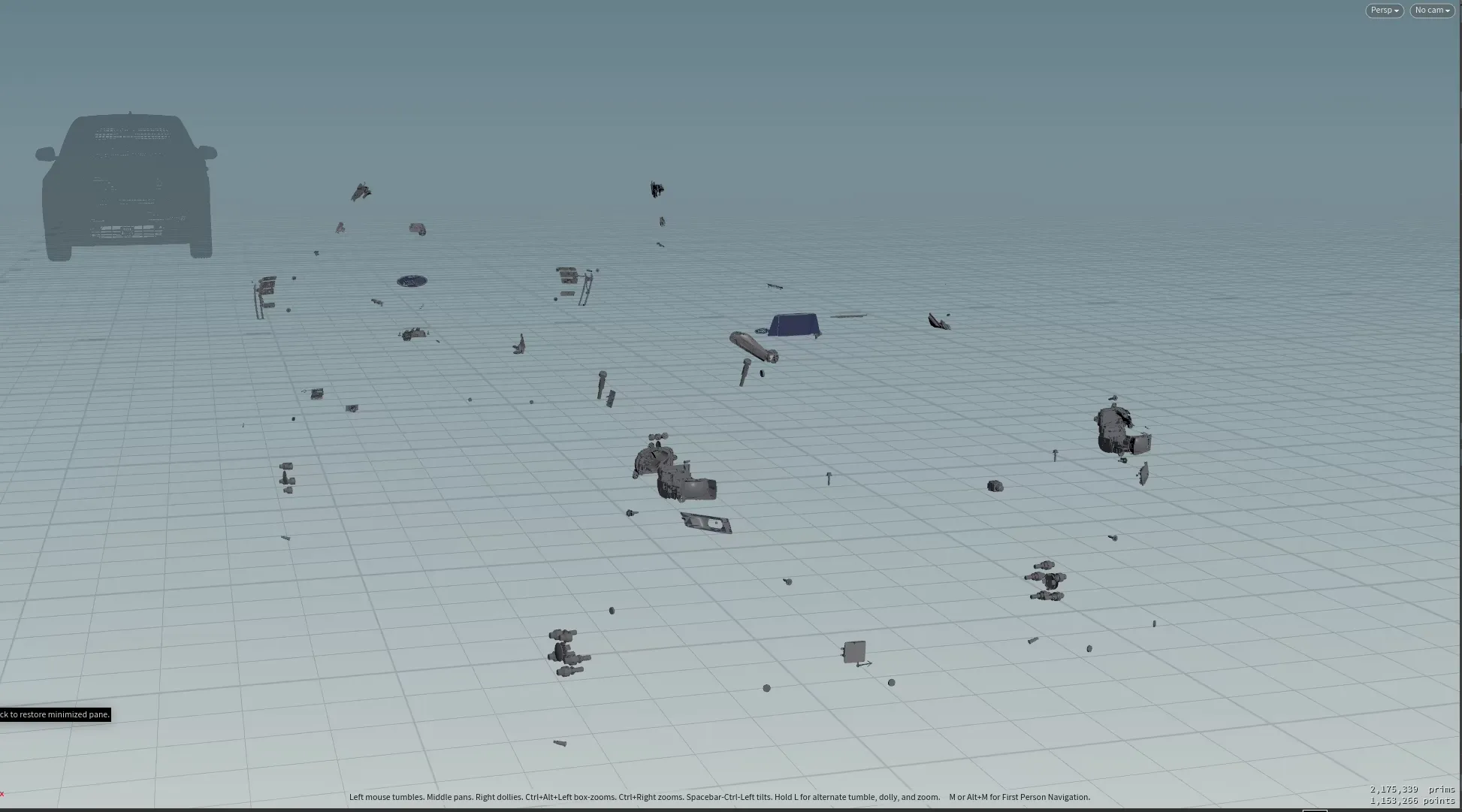
great to delete all tiny hidden parts that you don’t need Delete by packed size20250616.avif

Point cloud density & cull lonely

— houdini, vex

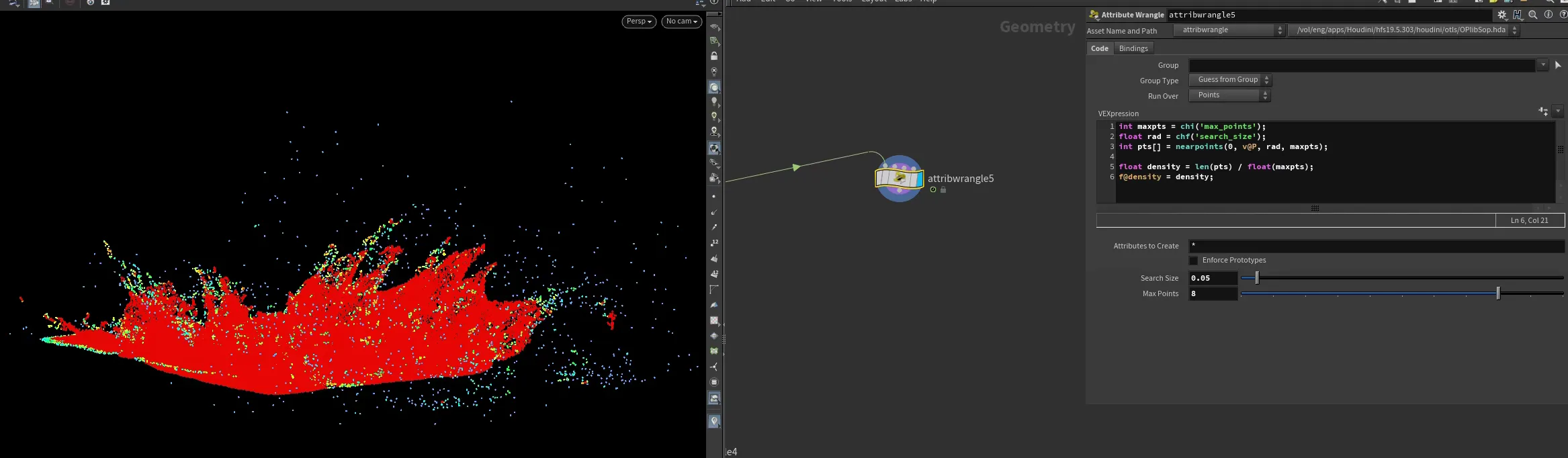
estimate density of a point cloud useful for culling stray points in flip sims

int maxpts = chi('max_points');
float rad = chf('search_size');
int pts[] = nearpoints(0, v@P, rad, maxpts);

// subtract 1 to account for finding self
float density = (len(pts)-1) / float(maxpts-1);
f@density = density;

an extra trick is to fuse the ptcloud and feed into 2nd input instead, stops strays that are close to eachother (edited) Point cloud density cull lonely20250616.avif

quick cull strays, same technique as above but diff parameters

int maxpts = chi('max_points');
float rad = chf('search_size');
int pts[] = nearpoints(0, v@P, rad, maxpts);

if( len(pts) < chi('min_numpts') ){
    removepoint(0,@ptnum);
}

Mask volume from bounds

— houdini, vex

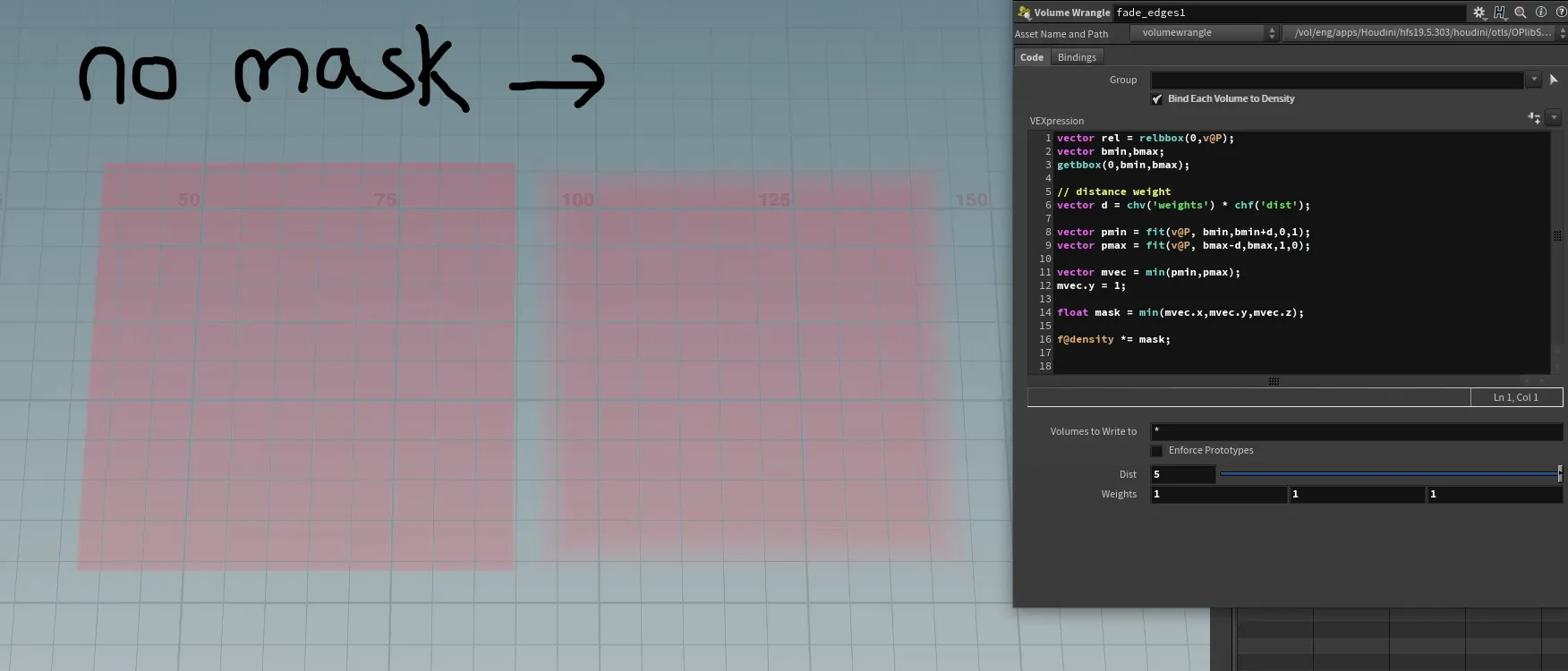
generate mask by bounds example for volumes

vector bmin,bmax;
getbbox(0,bmin,bmax);

// distance weight
vector d = chv('weights') * chf('dist');

vector pmin = fit(v@P, bmin,bmin+d,0,1);
vector pmax = fit(v@P, bmax-d,bmax,1,0);
vector mvec = min(pmin,pmax);
mvec.y = 1; // remove y mask

float mask = min(mvec.x,mvec.y,mvec.z);
f@density *= mask;

mask volume from bounds20250616.avif

Box to camera frustum

— houdini, vex

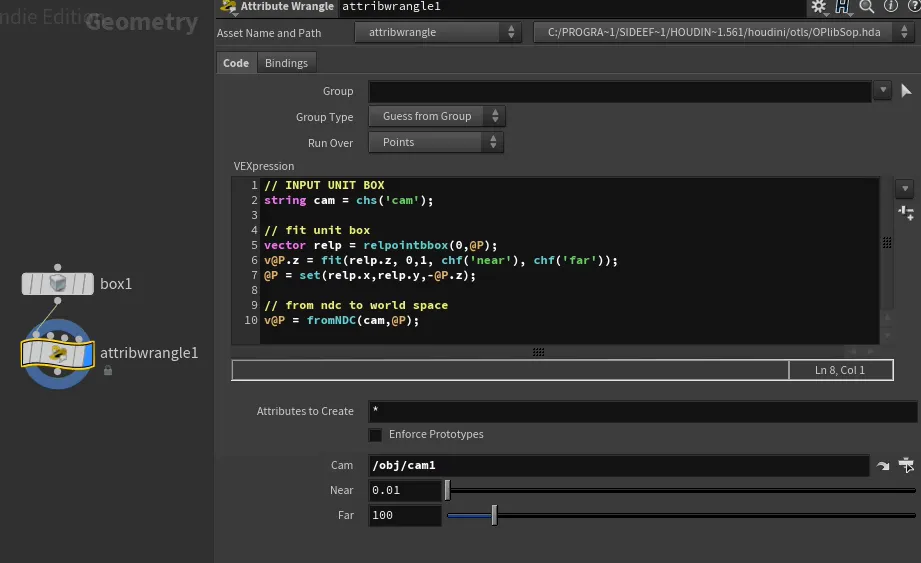
Quick way to generate camera frustum from NDC coordinates. Handy for frustum culling with boolean intersect SOP For outline add a polypath SOP

// INPUT UNIT BOX
string cam = chs('cam');

// fit unit box
vector relp = relpointbbox(0,@P);
relp = v@P+0.5; // to control padding with box

[email protected] = fit(relp.z, 0,1, chf('near'), chf('far'));
@P = set(relp.x,relp.y,[email protected]);

// from ndc to world space
v@P = fromNDC(cam,@P);

Box to camera frustum20250421.avif

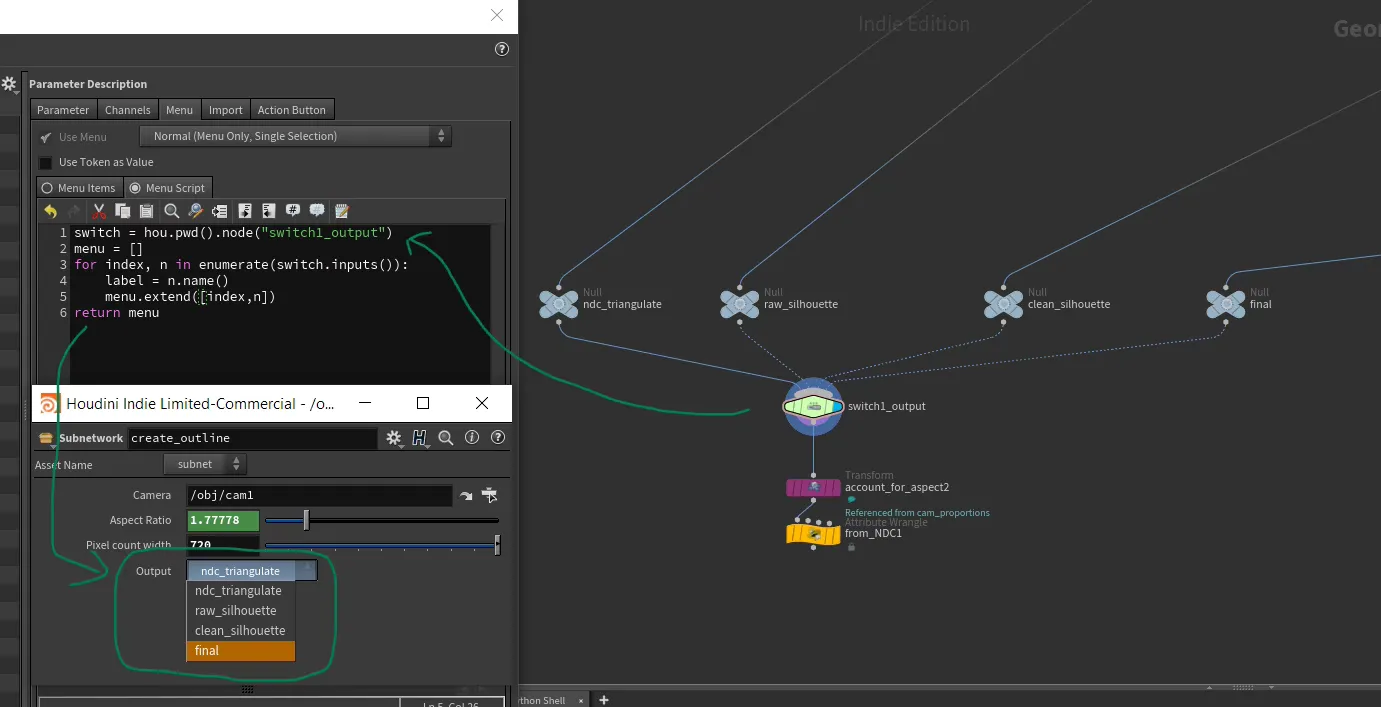
Parameter menu from switch inputs

— houdini, python

script to generate ordered menu parameters from switch input

switch = hou.pwd().node("switch1_output")
menu = []
for index, n in enumerate(switch.inputs()):
    label = n.name()
    menu.extend([index,n])
return menu

Parameter menu from switch input20250616.avif

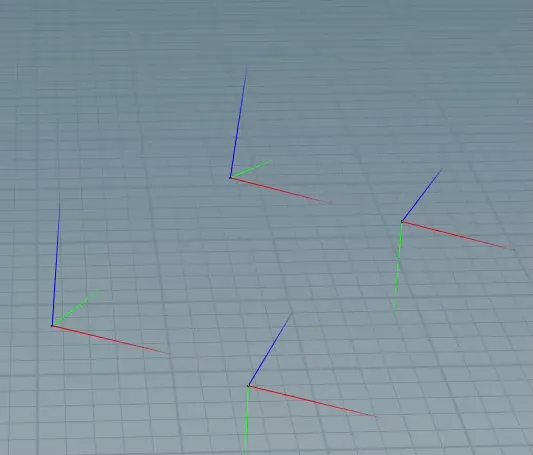
Extract vector axis from matrix

— houdini, vex

extract vector axis from rotation matrix / quaternion

matrix3 r = qconvert(p@orient);
vector x = set(r.xx, r.xy, r.xz);
vector y = set(r.yx, r.yy, r.yz);
vector z = set(r.zx, r.zy, r.zz);

Extract vector axis matrix20250616.avif